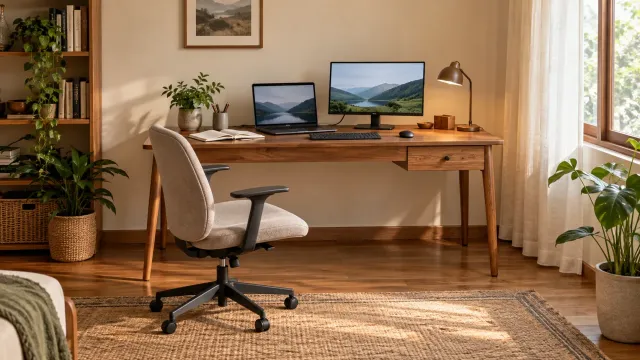
To choose a wooden desk for working from home, start with the equipment you use and your daily activities. Measure the space needed for a laptop or monitor, documents, and chair movement. Then compare the work surface, legroom, storage, and cable routes on the models you are considering.
A compact-looking desk may not accommodate your work. Equally, a large desk can make access difficult if you overlook room dimensions and nearby furniture.
Map the desk while it is in use
Arrange your equipment on a desk you already have and notice the area you actually use. Do not measure a laptop only when it is closed. Record which items need to stay on the surface all day and which can be put away afterwards.
Group your requirements into:
- Main equipment: laptop, monitor, keyboard, and mouse.
- Additional work area: books, documents, or materials opened together.
- Supporting items: lighting, stationery, and a drink.
- Storage: files or equipment that need not stay visible.
Someone who frequently reviews printed documents needs a different arrangement from a person working almost entirely on a laptop. This list helps you select by function rather than style alone.
Check surface dimensions and legroom
Surface width and depth
Measure your equipment in its actual working position. Allow for mouse movement, an open book, and documents without piling everything in front of the screen.
If your monitor has a large stand, record its footprint. If you plan to use a mounting arm, ask whether the desk construction, thickness, and edge suit its installation requirements. Do not assume every wooden desk accepts every type of mount.
Space below the desk
Drawers, supports, and crossbars can reduce legroom even when the external dimensions look adequate. Request the usable measurements beneath the surface and compare them with your chair and seated position.
Check whether the chair fits underneath when not in use and whether its armrests catch on drawers. Try the desk and chair together to assess height suitability rather than assuming one size suits everyone.
Decide whether drawers are necessary
Drawers help organise smaller items, but they are not the only option. Compare your storage needs with the available legroom.
A desk with drawers: worth considering when stationery and small files need to stay nearby. Check how drawers open and the space needed to pull them out.
A desk without drawers: an option when the area beneath the surface needs to remain more open. Storage can be placed separately if the room allows.
A cabinet on one side: can hold more items, but check whether its position interferes with the chair or desk access. Request a layout drawing rather than only a front-facing photograph.
For example, if you use only a laptop and notebook, a small drawer may be sufficient. If your work involves many documents, compare a drawer desk with a simple desk and separate storage. Decide around what you actually need to keep.
Plan cables before choosing the location
Note socket positions and the route from them to your devices. Decide whether the desk needs a cable opening, space behind it, or a removable cable organiser.
Avoid routing cables across a frequently used passage. If the location requires changes to electrical wiring, ask a qualified person to assess them. Do not assume extra sockets are included in a furniture service.
For a desk near a window, try the screen position during your usual working hours. Check reflections and access to the window or curtains. An attractive photograph does not establish how well a layout works with your home's lighting.
Ask about materials and the work surface
Request material details for the top, frame, legs, and drawers. A model name or wood-grain appearance does not replace clear information about construction.
Ask which finish is used and how it should be cared for. Check the edges and whether the surface suits your planned use. Do not assume all finishes have equal resistance to liquids, heat, or friction.
If selecting a colour from photographs, request further references or a sample where available. Lighting can alter its apparent colour. Make sure agreed materials, colours, and details are recorded in the quotation.
Simulate the desk and chair positions
Before buying, mark the external desk dimensions on the floor. Put the chair in its working position and try sitting, standing, and walking past it. Repeat with nearby doors or furniture drawers open.
Also check the delivery route into the home. Confirm whether the desk arrives assembled or is put together on site, and whether installation is included. Do not rely only on workspace dimensions without checking doors and turns along the route.
Wooden desk ordering checklist
- Equipment and activities that use the desk surface.
- Workspace dimensions and door, window, and socket positions.
- External desk dimensions, legroom, and chair compatibility.
- Drawer or separate-storage requirements.
- Confirmed materials, finish, and cable arrangements.
- Delivery access, assembly, and service scope.
- Final drawings and quotation with changes in writing.
Explore the Centrova furniture collection in Indonesian as a starting point, then confirm the dimensions and details of the model you are considering. If you need adaptations, share your equipment list and room measurements; available options should be discussed for that model.
Frequently asked questions
Does a desk need a cable hole?
Not always. It depends on equipment layout and socket positions. Ask about appropriate cable arrangements before requesting a modification.
Is a desk without drawers less practical?
No. It can suit a workspace where storage is elsewhere or few items are needed. Assess easy access to belongings alongside legroom.
What should I try before buying?
Try the desk and chair combination, device positions, movement space, and storage access. The aim is a desk that supports everyday work rather than one that merely fits in the room.